Import a HuggingFace dataset into managed S3
Outcome: complete this walkthrough and you will have imported a public HuggingFace dataset into your managed S3 as JSONL, ready for post-train (DPO/ORPO, SFT, chat) and GRPO · Time: ~2 min active · ~3 min elapsed (waits included)
Before you start
-
Role: editor or higher
-
You have a demo-tenant account with the Editor role (or higher)
- Outbound access to huggingface.co from the import service (managed — no client setup)
- A browser tab signed in to the platform console
Steps
1. Open the Files tab
In the left sidebar under Data, click Catalog, then in the main pane click the Files tab.
Locator: Files tab (folder icon)
-
You should see: The Files view opens with your Managed bucket selected.
-
If not: No Files tab → your role is likely Viewer; you need Editor (see Prereqs).
2. Open HuggingFace import
Click the HF button at the top-right of the Files pane.
Locator: HF button (top-right of Files)
-
You should see: The Import HuggingFace dataset modal opens.
-
If not: No HF button → catalog write feature missing for your account.
3. Review the pre-filled import
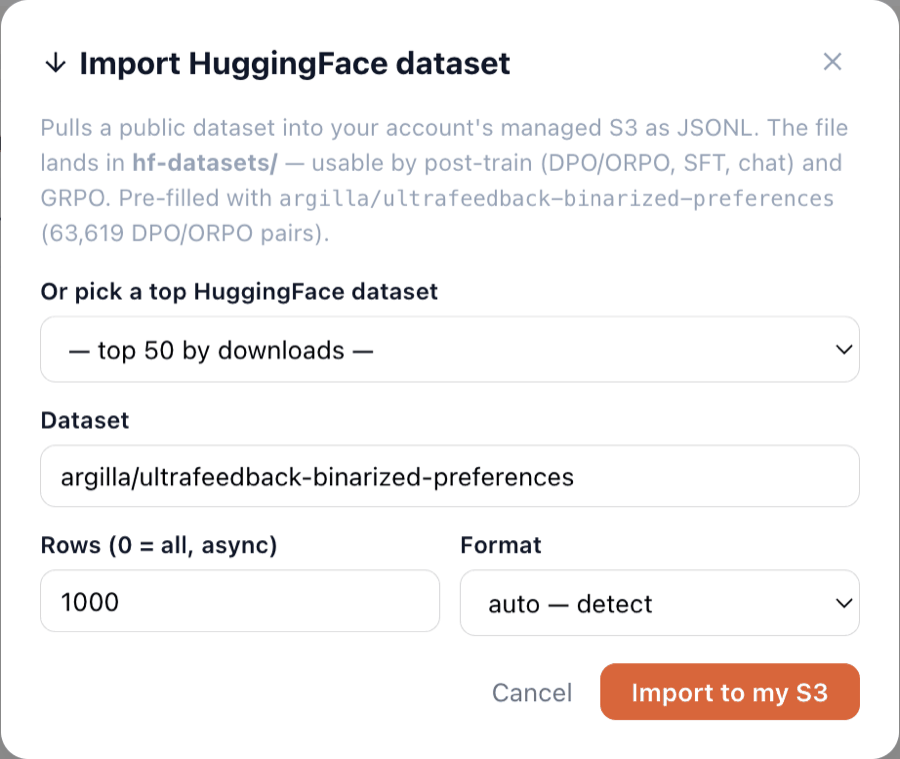
The modal is pre-filled with a DPO/ORPO dataset: argilla/ultrafeedback-binarized-preferences, 1000 rows, format auto. Leave the values as they are.
Locator: modal fields (Dataset / Rows / Format)
-
You should see: Dataset argilla/ultrafeedback-binarized-preferences · Rows 1000 · Format auto — detect. Auto detects preference because the rows have rejected responses.
-
If not: You can't type into Dataset/Rows → modal didn't finish loading the top-50 list; retry.
4. Import to my S3
Click Import to my S3.
Locator: Import to my S3 button
-
You should see: The button shows Importing… while it fetches and converts 1000 rows (a few seconds; imports up to 20,000 rows run synchronously).
-
If not: An ✗ error appears → usually an upstream HF fetch error; retry once. Persistent failures page the platform owner.
5. Confirm the result
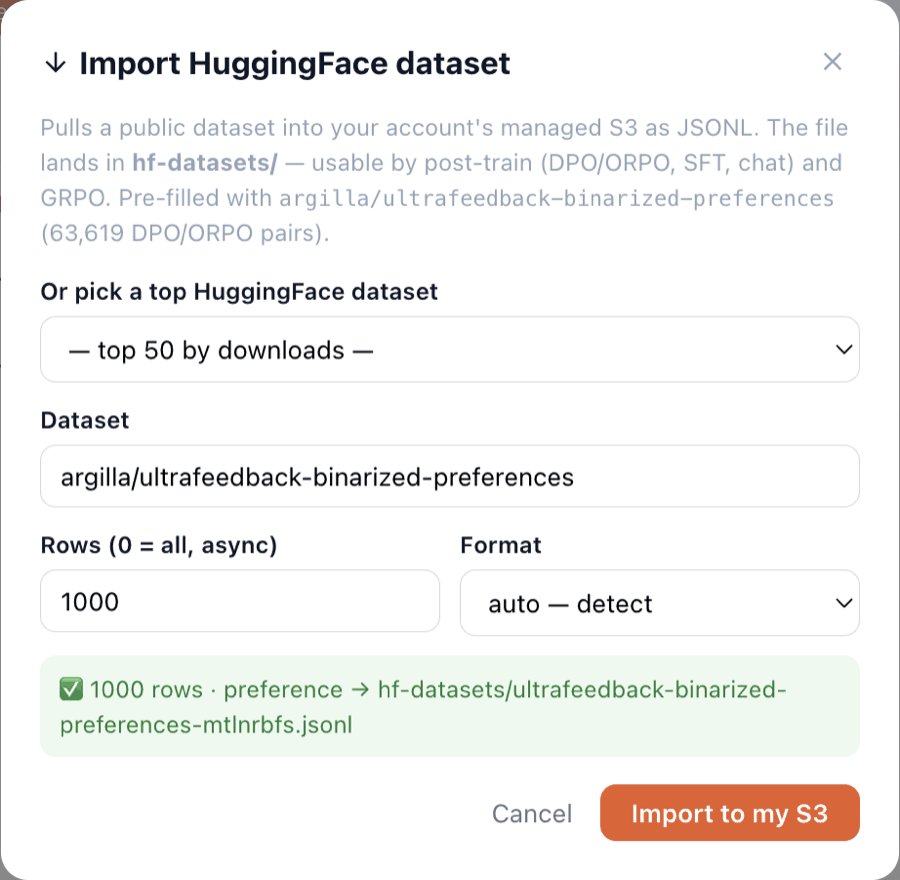
Read the green message inside the modal.
Locator: green ✅ message in modal
-
You should see: ✅ 1000 rows · preference → hf-datasets/ultrafeedback-binarized-preferences-
.jsonl. The differs on every import. -
If not: Message says ✗ → see step s04 failIf.
6. Find the file
Close the modal. Click the hf-datasets folder at the root of your Managed bucket.
Locator: hf-datasets folder row (root of Files)

-
You should see: The listing shows your new ultrafeedback-binarized-preferences-
.jsonl (~3.7 MB). Earlier imports may be listed above it — each import creates a new file. -
If not: Not listed → wait for the refresh, or re-enter hf-datasets from the breadcrumb; then report it.
Expected result
When the steps are done:
- objectKeyPrefix:
hf-datasets/ultrafeedback-binarized-preferences-*.jsonl - rows:
1000 - format:
preference - rowShape:
{prompt, chosen, rejected} - sizeBytes:
3843832 - measuredOn:
2026-09-03 (content can shift if the upstream dataset changes)
Start over & leftovers
Each import creates a NEW file in hf-datasets/ (older ones stay). Files there are your imports (~3.7 MB each); the Files UI has no per-file delete today — to reclaim space, delete from the S3 console (bucket listed in Storage Config) or leave them; they are tiny. Re-importing the same dataset+rows does NOT overwrite — you get another stamped file.
Try variations
- Import a different dataset from the top-50 picker (e.g. Salesforce/wikitext).
- Set rows to 0 (all, async) — a job runs and the modal polls until it completes.
- Force a format: preference (DPO/ORPO), instruction (SFT), or chat (messages).
Terms used
HFhf-datasets/preference (DPO/ORPO)managed S3JSONL
Walkthrough W2-hf-import · verified against build frontend index-DIStcaWp (2026-09-03) · role editor. Scenario Pack source: walkthroughs/W2-hf-import/. This page is rendered from scenario.json — edit that, not this.
Imports the public argilla/ultrafeedback-binarized-preferences dataset — content license follows the upstream HuggingFace dataset.